Why this choice gets harder after saying yes
Buying Starlink often feels like the hard part. Then the hardware choice turns out to be the decision that affects daily life more. A small dish sounds better when you picture weekend trips, quick setup, and less stuff to carry. A larger home kit sounds better when you picture work calls, streaming, and hours of steady use from one place. Both pictures are real, which is why the easy answer fades fast.
The problem is that you are not choosing between “good” and “bad.” You are choosing which inconvenience will show up later: more bulk and less flexibility, or more attention to power, placement, and session length. That is where the real comparison starts.
Where will your Starlink spend most of its time?
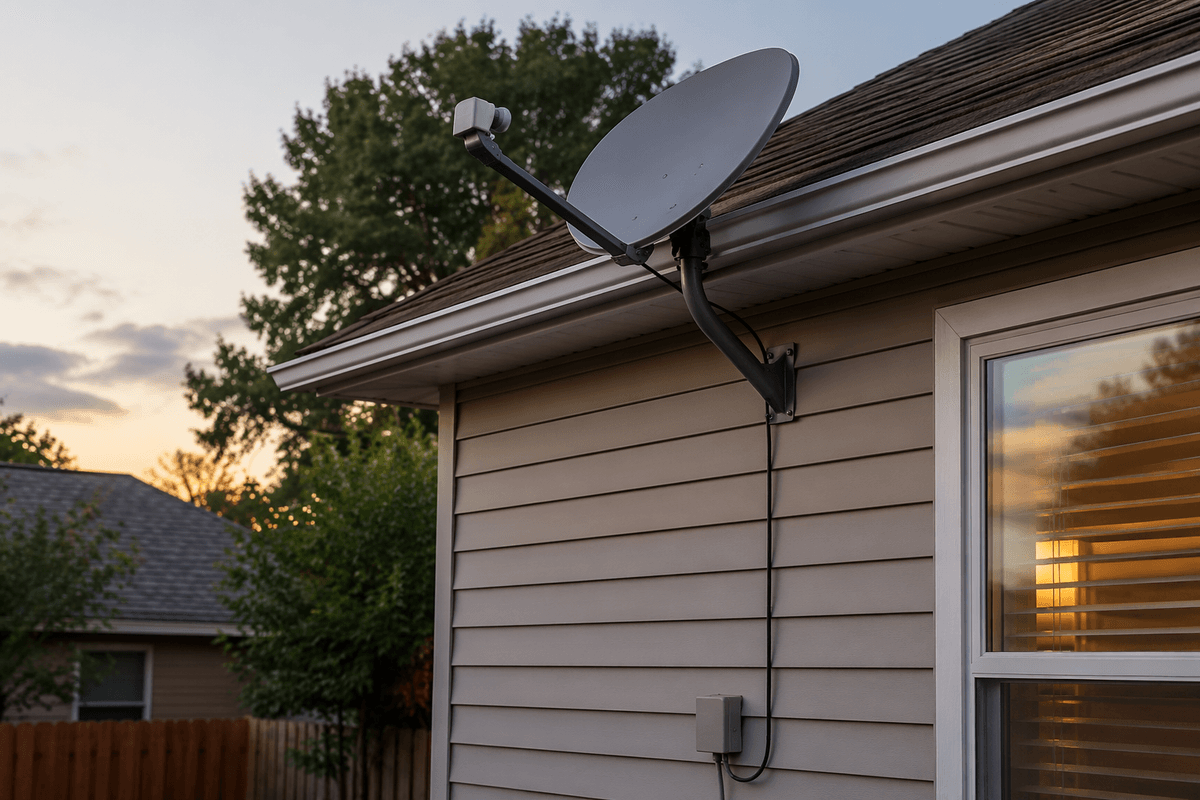
If your Starlink will live in one place most weeks, that fact settles more of this decision than the product photos do. A setup that stays near the same roofline, yard, or window usually rewards stability over portability. You carry it once, find the best spot, route the cable, and then the value shifts toward a kit that asks for less ongoing attention.
If, instead, you expect to move it between a house, a cabin, a campsite, or a vehicle, the Mini starts to make more sense. The benefit is not just size. It is the lower hassle of packing, unpacking, and powering it without turning every trip into a small equipment project. That said, many buyers picture frequent travel and then use the dish at home 90 percent of the time. In that case, choosing for the occasional weekend can feel smart at purchase and limiting later.
Start with where it will spend most nights, not where it might go on the best weekends. That puts the power question in clearer focus.
The Mini feels easier until the power question shows up
The Mini looks simple when you picture it in a backpack or setting up fast at a stop. That part is real. The catch is that small hardware does not remove the power problem; it changes it. If you plan to run Starlink from a car, a portable battery, or a mixed off-grid setup, the Mini can fit more easily, but only if your power plan is already sorted out. If it is not, the “easy” option can turn into checking charge levels, carrying extra cables, and rationing usage late in the day.
The Standard Kit usually asks for less improvising once it is in place. At home, that matters. Plugging into stable household power is boring in the best way. You stop thinking about adapters, battery size, or whether one more work call will drain the setup before dinner. The Mini still works well for shorter sessions or mobile use, but long stretches expose the difference between a compact system and a settled one.
If your main goal is internet that disappears into the background, power is not a side detail. It is the point where portability starts to cost something in daily use.
At home, convenience starts to mean something different
At home, convenience is less about how fast you can pack the dish and more about how little you have to think about it on an ordinary Tuesday. If the setup stays in one place, the useful kind of easy becomes consistent placement, steady power, and fewer reasons to adjust anything after the first week. That is where the Standard Kit often fits home use better. It is not more convenient because it is smaller or simpler. It is more convenient because once it is installed, it tends to ask for less day-to-day attention.
The Mini can still work well at home, especially as a backup line or for lighter use. But home use has a way of stretching sessions. A short evening test turns into remote work, streaming, software updates, and several devices pulling at once. When that happens, small setup advantages matter less than whether the connection feels settled. The cost is obvious: the Standard Kit takes more room and feels less flexible if you want to grab it and go. That leads to the question most buyers notice only after setup: whether daily performance actually feels different.
Will you notice the difference once daily use begins?

You usually notice the difference when the connection stops being a test and starts carrying normal life. A quick speed check in the driveway does not tell you much. A full workday does. The same goes for evening streaming while phones back up photos, laptops update, and someone joins a video call in the next room. In that kind of routine, the Standard Kit is more likely to feel steady in a way you can actually perceive, not just measure.
If your use is mostly one or two devices, shorter sessions, or travel days where getting online at all is the main win, the Mini may not feel limiting. For email, browsing, messaging, and light streaming, it can be completely fine. The gap tends to show up when usage stacks. That is when dropped quality, slower-feeling response, or more sensitivity to setup and placement becomes harder to ignore. Not everyone will hit that ceiling, but people using Starlink as their main home link are more likely to.
The awkward part is that daily use often expands after purchase. What begins as backup internet can become the line everyone depends on. That makes the next question less about the dish itself and more about how much extra gear and setup effort you want hanging off it.
How much extra gear do you want to manage?
A lot of this choice shows up in the pile of parts around the dish. If you want to set Starlink down, plug it in, and leave it alone, the Standard Kit usually keeps the setup more contained. There is still hardware to place and cable to run, but once that job is done, the system tends to stay put. The Mini often stays simple only when your use stays simple too.
If you expect to move around, the Mini can reduce bulk, but it can also pull in extra pieces: a battery you trust, charging gear, mounting options, vehicle adapters, weather protection, and a plan for where everything rides between stops. None of that is dramatic on day one. After a few trips, it becomes one more kit to organize, forget, replace, and troubleshoot.
That is the real test. Choose the setup whose ongoing chores fit your normal habits, not the one that looks cleaner in a product photo. From there, the final decision is less about features and more about which compromise will bother you least over time.
Choose the compromise you will mind the least
If you will mostly use Starlink from one address, choose the Standard Kit unless you already know space or portability will annoy you more than extra stability helps. The bigger compromise is carrying more hardware once, not managing a touchy setup every week. If you will move often, run from vehicle or battery power, or treat Starlink as travel gear first and home internet second, the Mini is usually the safer bet. Its cost shows up later in power planning and in how quickly “light use” can turn into a fuller workload.
The useful shift is simple: do not buy for the most exciting use case. Buy for the version of this setup you will repeat when you are tired, busy, and unwilling to fiddle with it.